Nous utilisons des cookies sur notre site Web.
Certains d'entre eux sont nécessaires au fonctionnement du site
Control your A24 radios, lamps, telephones and Lucarnes, set up your devices and share your space – from your iPhone or Android device.
The app is free. An Atelier N°24 device is required for real use. On your Home Screen, the app appears as N°24.
Available on the App Store.
iOS 14.0 or later. Designed for iPhone.
The Android version is downloaded directly from our website: it is not distributed through the Play Store.
Android 8.0 or later. Phones and tablets.
Show little notes, photos, maps and timers on the 64 × 64 physical display. Add weather, public transport, menu ideas and arrival announcements, then control your Lucarne on the local network or remotely once it is linked to your space.
From the app, you can also adjust and rename the Lucarne, arrange its features and install its firmware updates.
Launch your actions from Home Screen or Lock Screen widgets. French-language Siri commands control your radios and lamps. Scenes bring radios and lamps together and can be started on demand, at a set time or when you arrive.
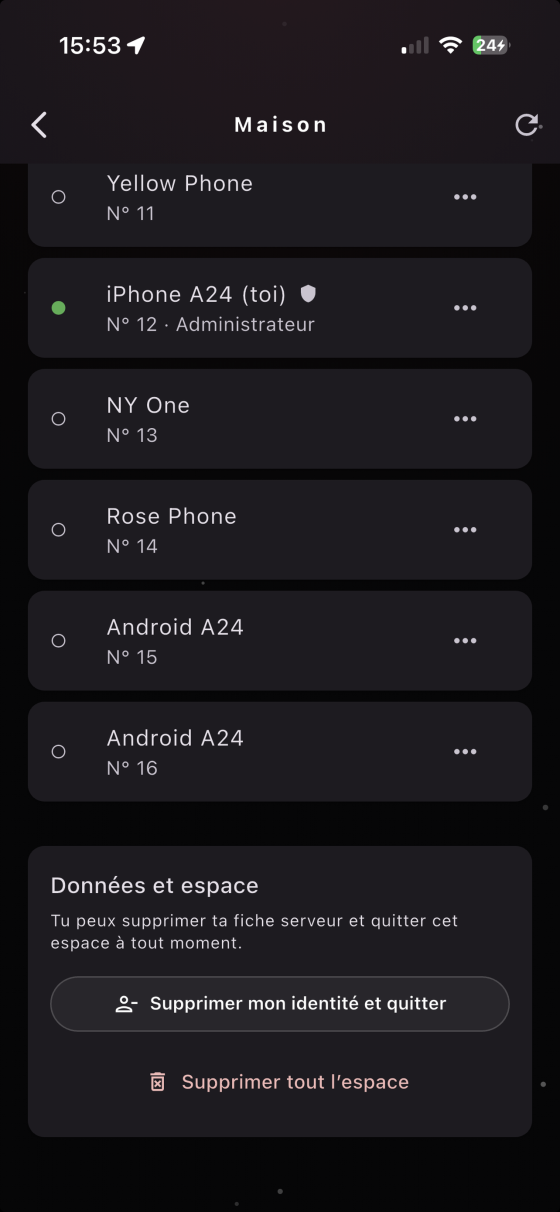
Invite other people into your space, manage and rename the devices in it, and access compatible features remotely.
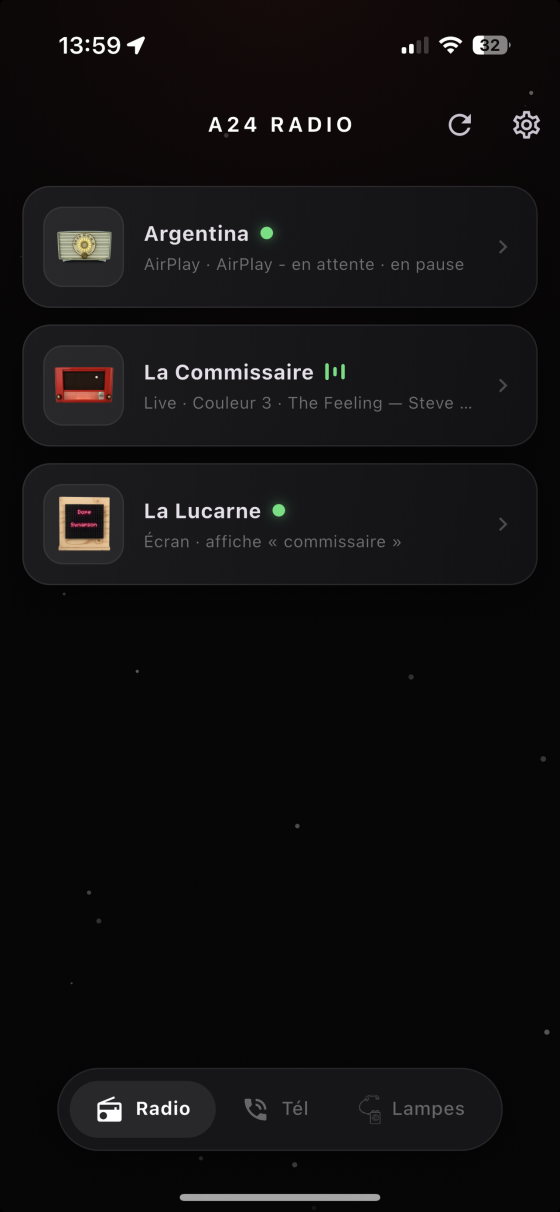
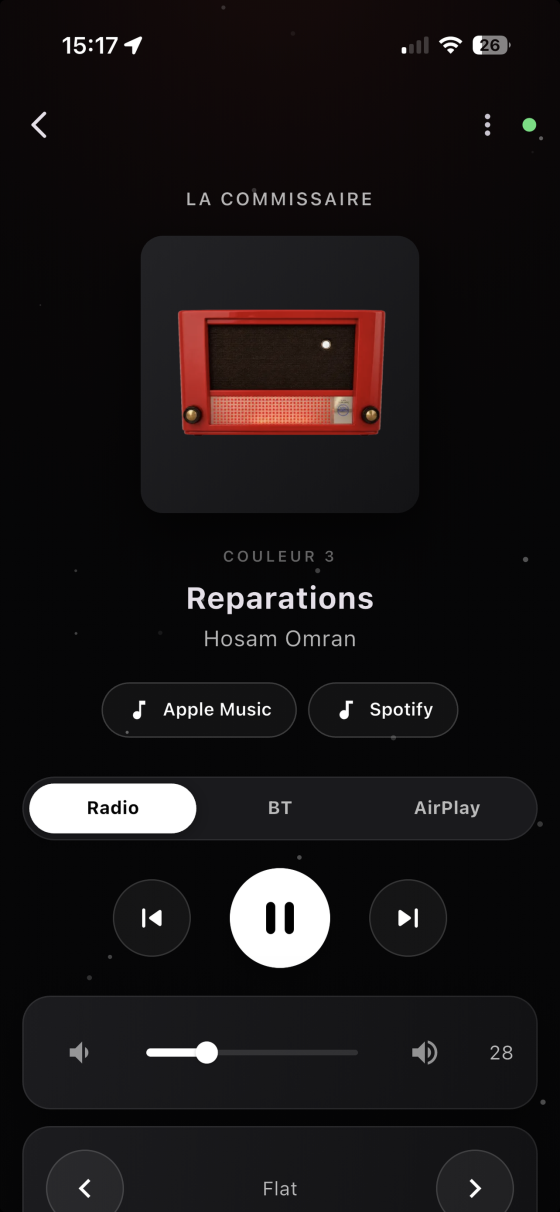
Find all the A24 radios on your Wi-Fi network: switch them on, change station, adjust the volume. The app shows the track currently playing and lets you open it in Apple Music or Spotify.
Your radios are AirPlay speakers too: from your iPhone, iPad or Mac, send your music straight to them – to a single radio, or to several at once, multi-room.
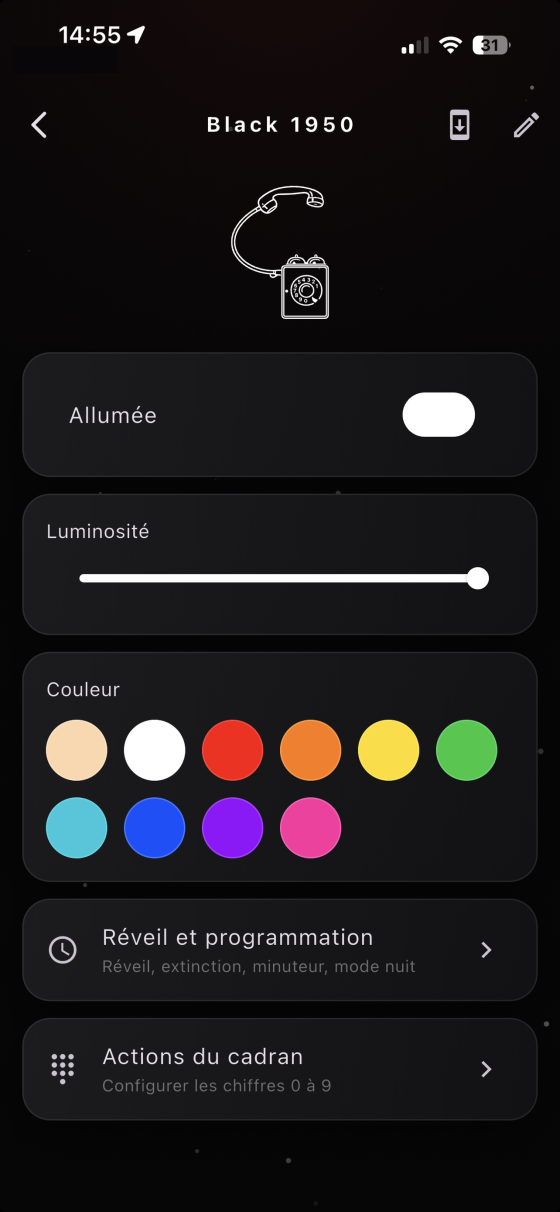
Switch your A24 lamps on and off and adjust them over Bluetooth, without going through the Wi-Fi network.
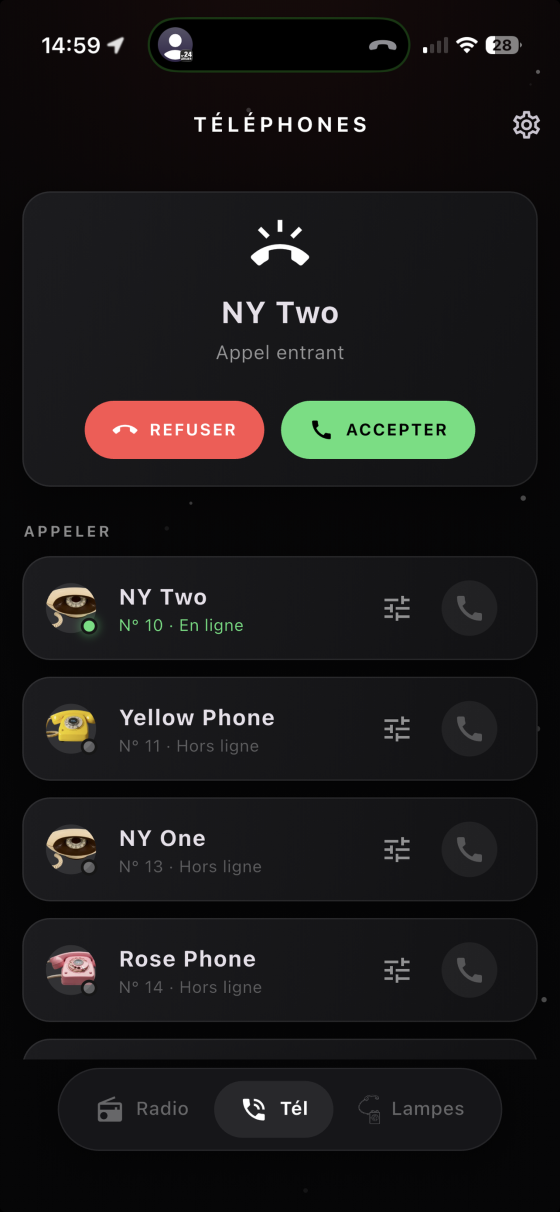
Call your A24 telephones and take their calls, wherever you are. Each installation has its own private space, with its own internal numbers.
Send a note or a photo, show a map or a timer and choose which features run on the Lucarne. Compatible controls remain available remotely from your shared space.
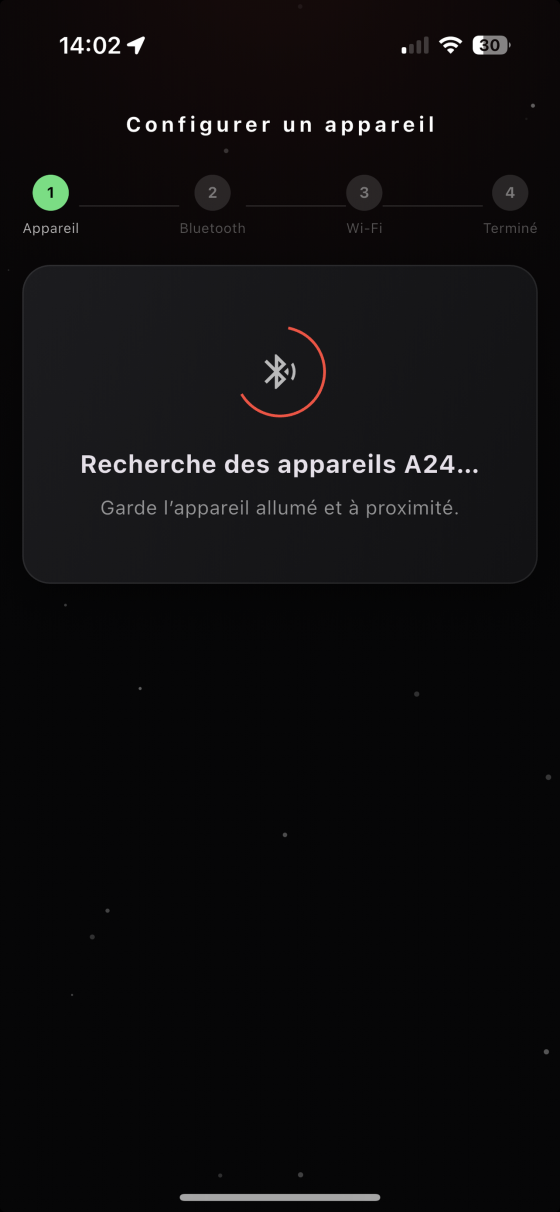
Connect a new device to your Wi-Fi network over Bluetooth, scan its QR code and update its firmware whenever a new version is released.
Don’t have an A24 piece yet? Demo mode only lets you try out a fictional radio, lamp and telephone. It doesn’t simulate a Lucarne and is no substitute for Atelier N°24 hardware in real use.
Our support page covers the most common issues: devices not found, Bluetooth, QR code scanning, incoming calls.
Our privacy policy explains what data is processed, what stays on your device and what is sent to our servers.
Any questions? atelier@numero24.ch
Last updated: 17.08.2026